
RGA gives you the flexibility to generate plots and calculate metrics for reliability growth models without entering the data that the model is based upon. To do this, create an RGA growth data folio data sheet, and without entering any data, choose a distribution and then click the Calculate icon on the Main page of the control panel.

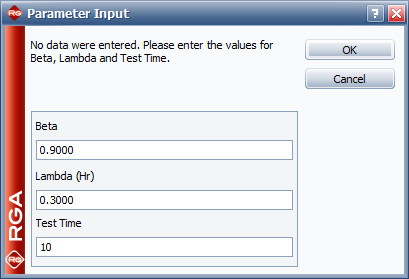
With no data specified, this opens an input window that allows you to enter the parameters for the selected model. After you enter the parameters and click OK, the parameters of the specified model will be displayed in the Analysis Summary area of the control panel. Any plots or QCP results you produce from this data sheet will be based on this model.
© 1992-2017. HBM Prenscia Inc. ALL RIGHTS RESERVED.
 |
E-mail Link |